 ScopeLock
For freelancers on iPhone
Lock what you agreed. Price every change.
“Can you just add…” is how unpaid work starts. ScopeLock records the scope you agreed, turns each new request into a priced change order, and gets your client’s yes or no through a secure link.
Add 3 social media templates
Measured against scope v2 · locked · 3F9A…C21B
Three steps between “just one more thing” and getting paid for it.
Lock the scope
List the deliverables, what’s not included, revision limits and dates. Lock it as version 1, an exact record that can never be edited.
Price the change
When a new request comes in, mark which locked items it touches and add the extra fee and the extra days. ScopeLock turns it into a numbered change order.
Your client decides
Send the secure link from Mail or Messages. Your client reads the change, confirms it, and approves, declines or asks a question. No account needed on their side.
What it looks like.
Design previews of the iPhone app and the page your client sees.
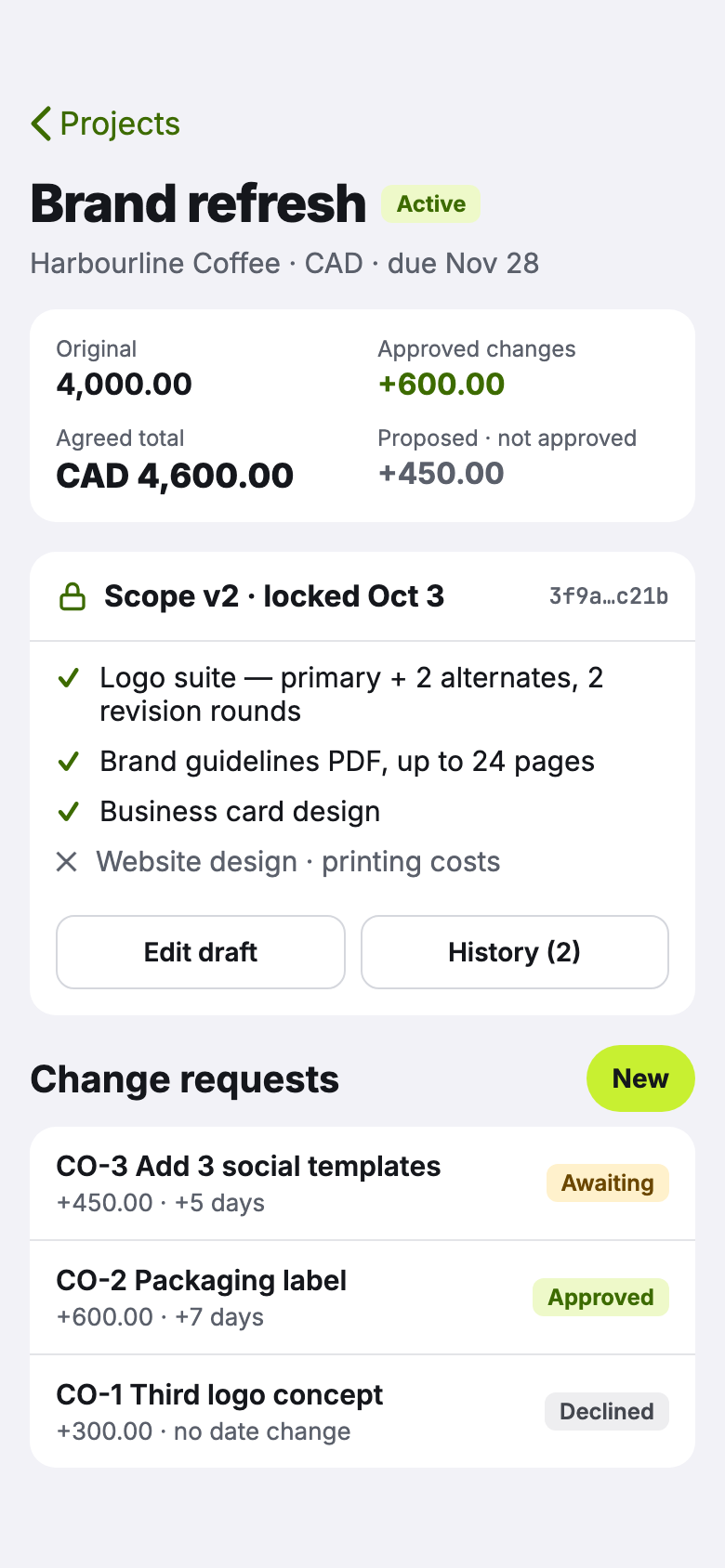
Lock the scopeThe agreed price, every approved change and the locked scope, in one place. 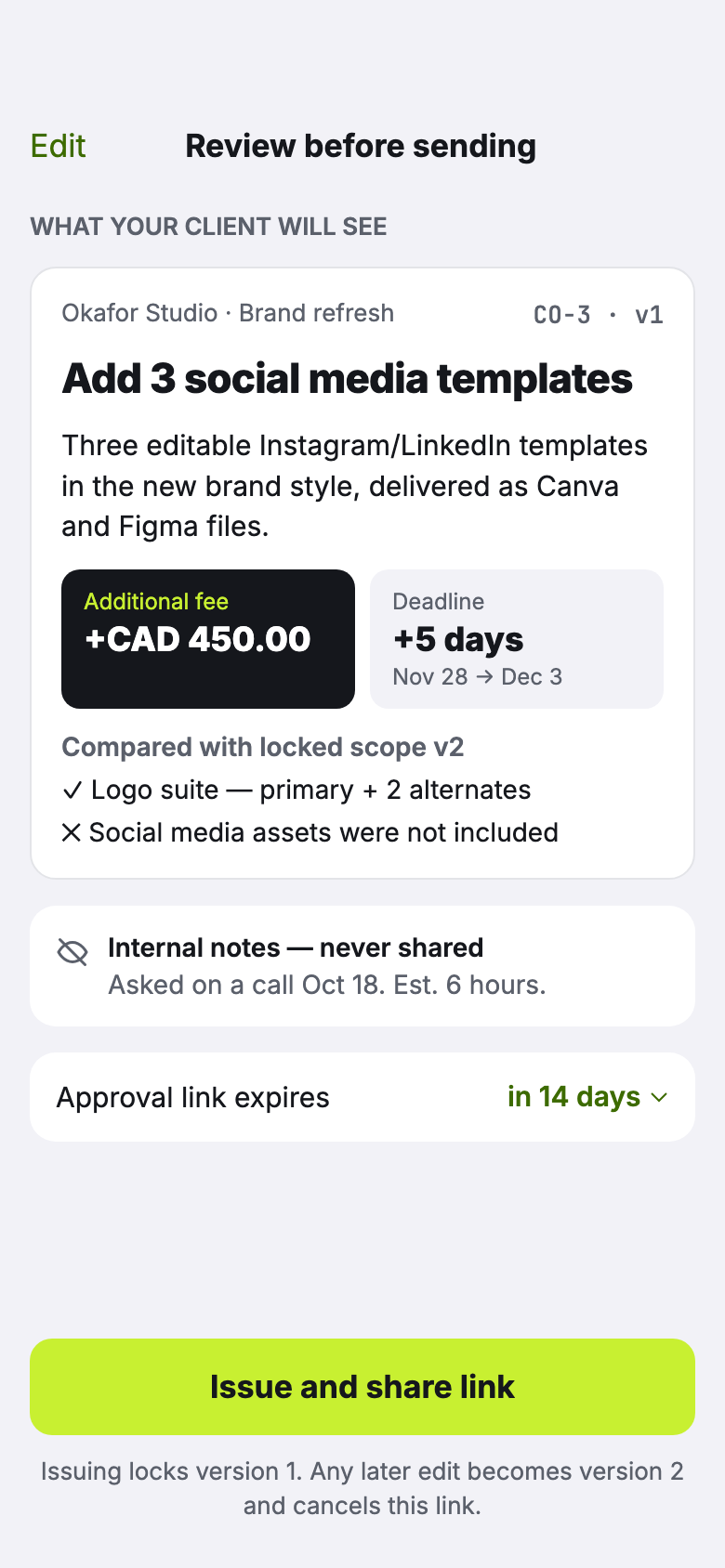
Review before sendingSee exactly what your client will see, compared with the locked scope. 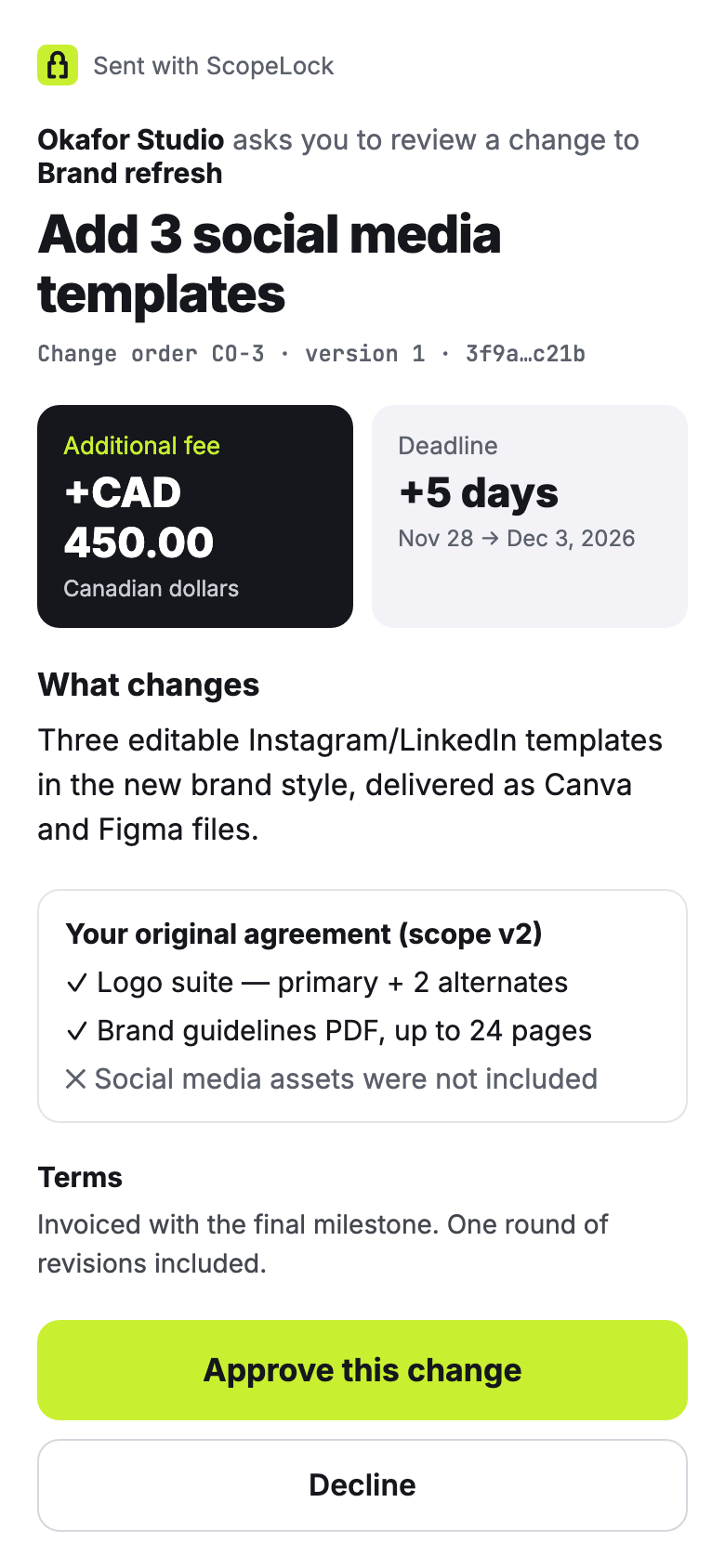
Your client decidesA clear page with the fee, the new deadline and the original agreement. 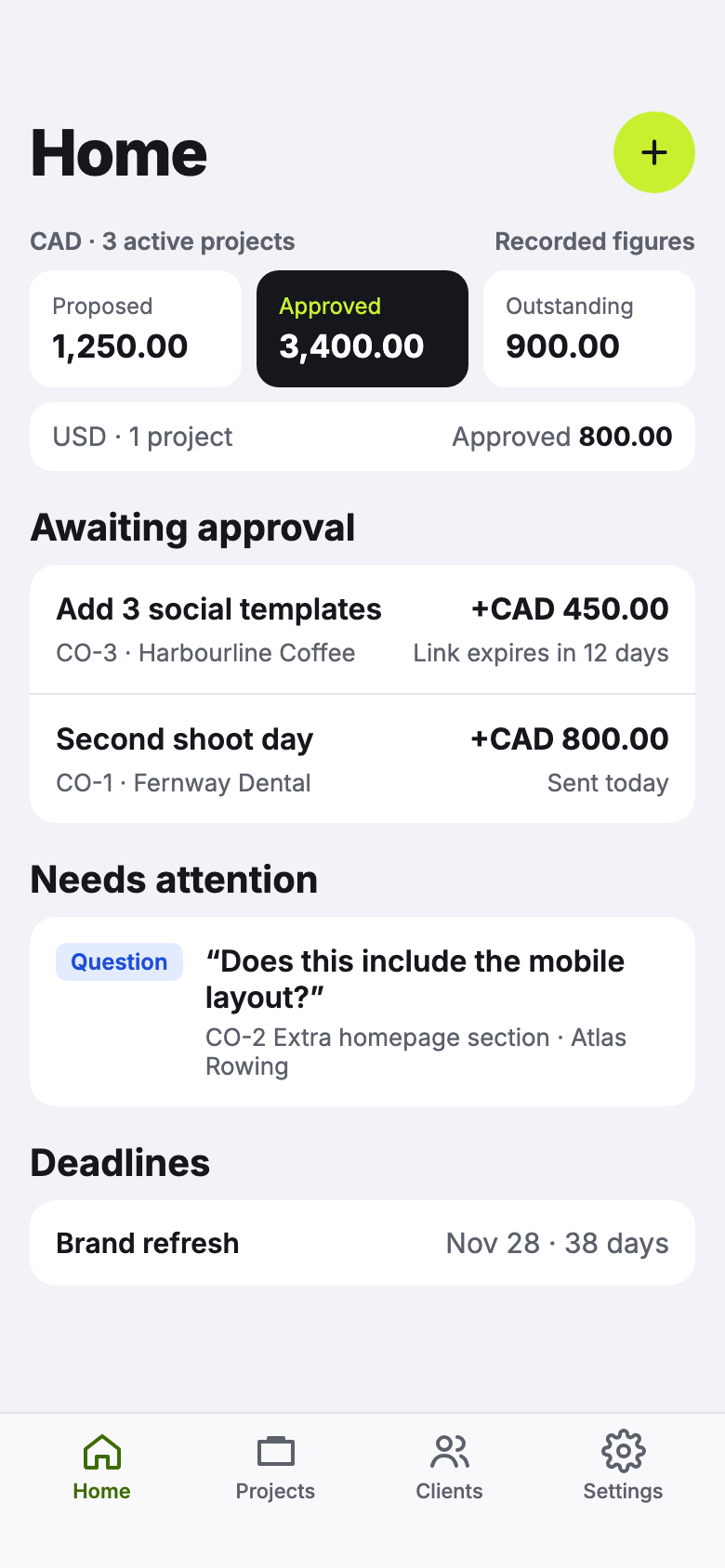
Know where the money isProposed, approved and outstanding, per currency, plus what needs a reply.
Built for the conversation nobody enjoys.
Every decision kept
Locked scopes and client decisions are never overwritten. You can always show what was agreed, when and by whom.
Nothing for your client to install
Clients open one secure link that expires and can be revoked. They see the change and your business name, nothing else.
Revisions counted for you
Give an item a revision allowance and log each round in one tap. ScopeLock tells you when the allowance is used up.
The real money picture
Original price, approved extras, what’s still pending, invoiced and paid, per project. Currencies are never mixed or converted.
Works on the road
Write scopes and draft change orders offline. They sync when you’re back online; locking and sending wait for a connection.
Capture from anywhere
Share a client’s email or message to ScopeLock from the share sheet and turn it into a change order later.
What ScopeLock isn’t.
It does one job: controlling changes to agreed work. Keep the tools you already use for the rest.
Not invoicing or accounting. Record what you invoiced and what was paid; send invoices from your usual tool.
Not project management. No tasks, boards or timelines. Just the scope and every change to it.
Not an e-signature service. Client decisions are a clear, timestamped record, not a signed contract.
Start free. Upgrade when you’re busy.
Free
- 1 active project
- Scope locking and version history
- Change orders with secure client approval
- Export all your data, any time
Solo
- Up to 5 active projects
- Everything in Free
- Project PDF exports
Pro
- Unlimited active projects
- Everything in Solo
Subscriptions are billed through the App Store. Prices are shown in the app before you buy.
Questions?
Answers about client links, offline use, your data and plans are on the support page.